Best Workflow Automation Tools for Document Automation in 2026
Teams often replace their document tools once audit gaps or version conflicts start costing hours each week. Many platforms handle uploads but leave policy enforcement and approval trails scattered across separate apps.
By the end you will know the five features that separate reliable document automation from fragile workarounds, see how Process Street stacks its workflow, policy, and AI pieces together, and have a side-by-side lens for comparing the other leading option listed in this guide.
What to Look For in Workflow Automation Tools for Document Automation in 2026
Teams evaluating workflow automation tools for document automation should prioritize specific technical capabilities and compliance features that will remain relevant through 2026.
Document classification accuracy rates determine how effectively systems categorize incoming files without manual intervention. Teams should examine published performance benchmarks for native AI models across common document types including invoices, contracts, and forms.
OCR multilingual support becomes essential for organizations handling international documentation. Current platforms vary significantly in language coverage and character recognition quality across non-Latin scripts.
E-signature capabilities require careful cost analysis between native platform features and API integration expenses. Organizations processing high volumes of signed documents should calculate per-document fees against expected usage patterns.
Template engine version control granularity affects team collaboration and error recovery processes. Advanced systems track individual field changes while basic solutions only maintain complete template versions.
Audit trail retention periods directly impact regulatory compliance efforts. Different industries require varying document history storage durations ranging from months to decades depending on jurisdiction requirements.
Process mining dashboard metrics provide visibility into actual workflow performance versus designed processes. Teams gain insights into bottlenecks, completion rates, and resource utilization through these analytical views.
Batch processing throughput numbers matter for organizations handling large document volumes simultaneously. Processing speeds vary between platforms based on file complexity and system architecture capabilities.
Metadata tagging automation depth influences searchability and document organization efficiency. Some platforms extract dozens of data points automatically while others require manual tag assignment for basic categorization.
1. Process Street - Best Overall
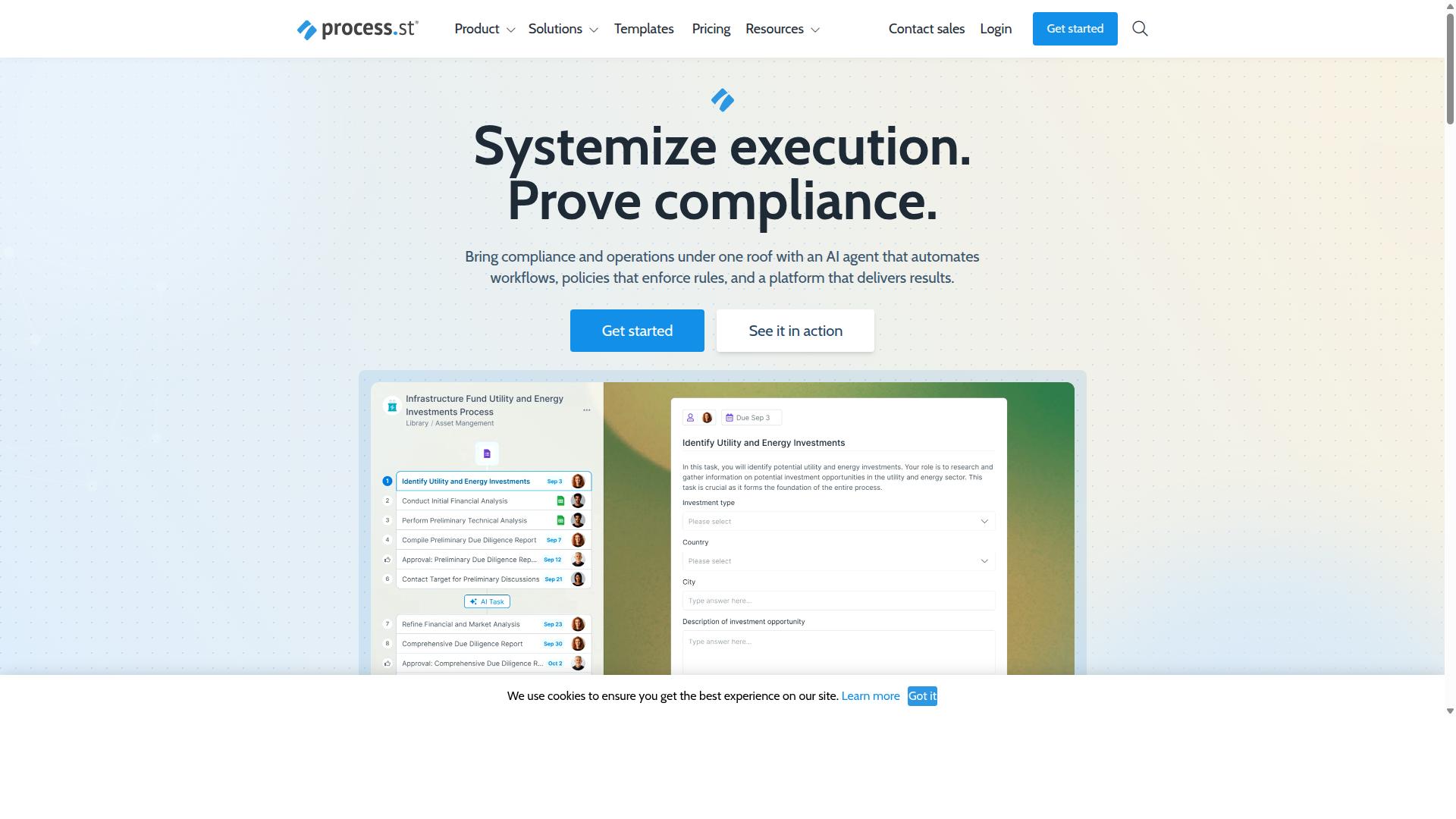
Process Street earns the best-overall designation by combining workflow automation with document governance controls that satisfy enterprise compliance requirements.
The platform serves 3,000+ companies and 1m+ users across industries. Organizations rely on Process Street to standardize operations, prove compliance, and maintain consistency at scale.
Three products work together to deliver these results. Docs handles document management and policy control. Ops manages workflow automation and process orchestration. Cora functions as an AI compliance agent that monitors regulations and flags risks around the clock.
Core Workflow Automation Features
Process Street converts static policies into executable AI-powered workflows with conditional routing and approval chains.
Ops turns documented procedures into dynamic processes that adapt based on conditions. Teams set conditional logic branching to route tasks automatically. Assignment rules direct work to the right people without manual intervention.
Startup plan users access 10 automation apps. Monthly limits cap automation actions at 100 per account. SLA monitoring dashboards track performance against defined thresholds.
These controls help teams maintain operational standards while scaling processes across departments.
Document Management and Policy Control
Docs centralizes policy documents with ISO 9001, SOC 2, SOX, and FDA governance controls.
Automatic versioning tracks every document change. Policy acknowledgment tracking confirms when employees review critical procedures. Full audit trails capture each modification with timestamps and user details.
Organizations report 30% faster documentation time compared to legacy methods. The platform supports policy lifecycle management from creation through periodic review and updates.
These capabilities ensure teams always work from current, approved versions while maintaining compliance records.
AI-Powered Compliance Capabilities
AI features automatically flag policy violations and generate audit-ready proof without manual sampling.
Cora monitors regulations continuously and alerts teams to potential issues. Risk scoring algorithms assess compliance status across documented processes. Real-time monitoring alerts notify stakeholders when controls fall out of range.
The platform holds SOC 2 Type II plus ISO 27001 certification status. Data never trains AI models, and HIPAA, GDPR, and CCPA compliance standards apply to all customer information.
These certifications and controls give enterprises confidence that automated compliance work meets regulatory expectations.
Pricing and Plans
Process Street offers three pricing tiers with the Startup plan positioned as a simplified Pro option for early-stage companies. Each tier addresses different document automation needs and team sizes.
The Startup plan includes unlimited workflows and tasks, 5 users, 10 guests, and 5,000 Data Set records. Teams get access to 10 automation apps and 100 automation actions per month plus Public API access at 50 calls monthly. This structure works well for smaller organizations beginning their document automation journey.
The Pro plan removes most restrictions found in the Startup tier. Users gain custom user and guest counts, up to 10,000 Data Set records, and access to all automation apps. Automation actions and API calls become customizable based on business requirements.
The Enterprise plan provides maximum flexibility for larger organizations. Custom Data Set records, unlimited Public API access, and fully-managed workflows address complex document automation scenarios. Additional Enterprise features include dedicated Success Manager support, priority assistance, bulk document import capabilities, custom integrations, process consulting, health audits, and personalized team training.
2. Nintex
Nintex provides document workflow capabilities through its low-code automation platform with varying integration depth depending on organizational scale.
Organizations often select this platform when they need to manage complex document processes across multiple departments. The system supports both cloud and self-hosted deployments through different product lines. Many teams use it for contract management, customer compliance workflows, and departmental automation in HR, finance, IT, and sales.
Key strengths include workflow automation, process management, and application development alongside document automation features. The platform also offers e-signature capabilities and robotic process automation connectors. Target industries span government, financial services, healthcare, and manufacturing sectors.
Document Workflow Capabilities
Nintex allows users to build document-centric workflows with drag-and-drop interfaces and e-signature integrations.
Common use cases include form-to-PDF automation, approval routing, and document classification tasks. Users can create smart forms that trigger automated document generation and routing sequences. The platform supports compliance automation through structured approval workflows and audit trail features.
Document lifecycle management becomes more consistent when teams standardize processes around templates and metadata tagging. Version control features help maintain document integrity throughout approval cycles. These capabilities work well for organizations that need structured document handling across distributed teams.
Integration and Scalability
Scalability depends on licensing tiers and the complexity of required integrations with existing enterprise systems.
The platform offers solutions for Microsoft environments through Nintex for Microsoft, which enables no-code workflows and process intelligence capabilities. Nintex for Salesforce provides similar document generation and customer experience tools within that ecosystem. Organizations can choose between cloud services or self-hosted options depending on their infrastructure requirements.
Integration flexibility allows connection to various enterprise content management systems and cloud document services. Teams can extend functionality through RPA connectors when standard integrations prove insufficient. The modular approach lets organizations start with core document automation needs and expand capabilities as requirements evolve.
How to Choose the Right Option
Selection criteria should align with the specific operational needs of teams in compliance, operations, and finance functions.
Financial services firms require audit trails and document classification to meet regulatory demands. Real estate companies focus on property management workflows and client onboarding with document routing capabilities.
Manufacturing operations need quality tracking and version control across production documentation. Healthcare organizations prioritize compliance automation and patient data security with content intelligence features.
Professional services firms benefit from template engines and e-signature integration for client deliverables. Technology companies leverage OCR and IDP tools to process technical documentation at scale.
Human resources teams across industries require employee onboarding workflows with smart forms and approval workflows. Finance departments seek batch processing capabilities for invoice automation and payment documentation.
IT and security teams evaluate automation platforms based on metadata tagging and document analytics for governance requirements. Capital markets entities need process mining to track document lifecycles through complex approval chains.
Final Verdict
Process Street stands out for organizations that require both workflow automation and audit-ready document governance within a single platform. The platform combines intelligent document processing with structured approval workflows, making it suitable for teams that handle compliance-sensitive documents regularly.
Research suggests that choosing an automation platform becomes easier when organizations can see proven scale. Process Street serves 3,000+ companies and 1m+ users, showing that its approach works across different industries and company sizes.
Real results appear when teams standardize their processes. IMCD UK reported a 75%+ reduction in setup time after implementing Process Street for their document workflows. The same platform has standardized onboarding for 49k+ employees across multiple organizations, demonstrating reliable performance at scale.
Security requirements matter for document automation in 2026. Process Street holds SOC 2 Type II certification, ISO 27001 certification, and maintains HIPAA compliance with BAA available upon request. These certifications address the compliance needs that many enterprises face when handling sensitive documents.
Performance data shows consistent service delivery. The platform maintains a 5 minute average response time with a 98% customer rating. Data security practices include never using customer data to train AI models, which addresses privacy concerns that arise with document automation tools.
Deployment flexibility matters for existing IT environments. Process Street appears on the AWS Marketplace and supports multiple compliance frameworks including GDPR, CCPA, and AWS CIS requirements. This availability simplifies procurement for organizations already operating within AWS environments.
Teams evaluating document automation tools should consider whether they need both workflow capabilities and compliance documentation in the same system. Process Street provides this combination with measurable adoption across large user bases and documented time savings in document setup processes.
Recommended Resources: